
Scoutbook: Great Alternative to a Cub Scout Tracking Spreadsheet

Scoutbook sponsored this post, but the opinions are totally mine. As always, I will never recommend a product or service that I wouldn’t use myself.
If you’re using a Cub Scout tracking spreadsheet for your pack’s advancement, you’ll want to take a look at this better option. Scoutbook is an incredible online tool to track your son’s Scouting journey.
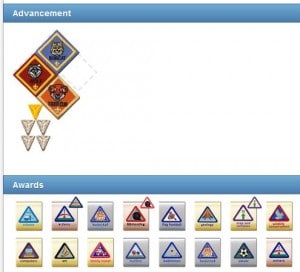
When my pack decided to replace our old online tracking system, the primary attribute we were looking for was ease of use for our den leaders and parents. Scoutbook definitely delivers that! Scoutbook is intuitive which allows us to figure out how to do a specific function quickly and effortlessly.
Scoutbook is a simply beautiful system. I love how it shows images of the Cub Scout’s awards rather than just a list. When the boys look at it, they can see their accomplishments. Whether you’re accessing Scoutbook on your desktop or on your mobile device, you’ll find that they look and function identically.
Scoutbook is available for dens, packs and individuals. In fact, it offers FREE Cub Scout tracking online for one Scout. Head on over to sign up your son. It’s easy to check off the achievements and electives that he completes at home. I love how it shows completion percentages for ranks and belt loops. Just imagine–you can throw away that Cub Scout belt loop tracking chart!
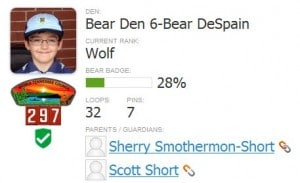
Not only does Scoutbook track achievements and awards, it will also keep track of how many miles your Cub Scout has hiked, how many nights he has camped and how many service hours he has performed. If you need a copy of the Individual Cub Scout Record Form 33827, Scoutbook will complete and generate it for your son.
If you’re a den or pack leader, you’re going to love Scoutbook! It has so many awesome features that are simple to use.
Email Messaging
Emails can be sent to your entire pack, one den or just a few parents. One of my pet peeves is getting an email that is being sent to a lot of people where I have to scroll down past all those names in the “to” field to get to the actual email text. To solve this, the email sender needs to put the recipients’ email addresses in the “bcc” field. Scoutbook defaults to using “bcc” which I love!
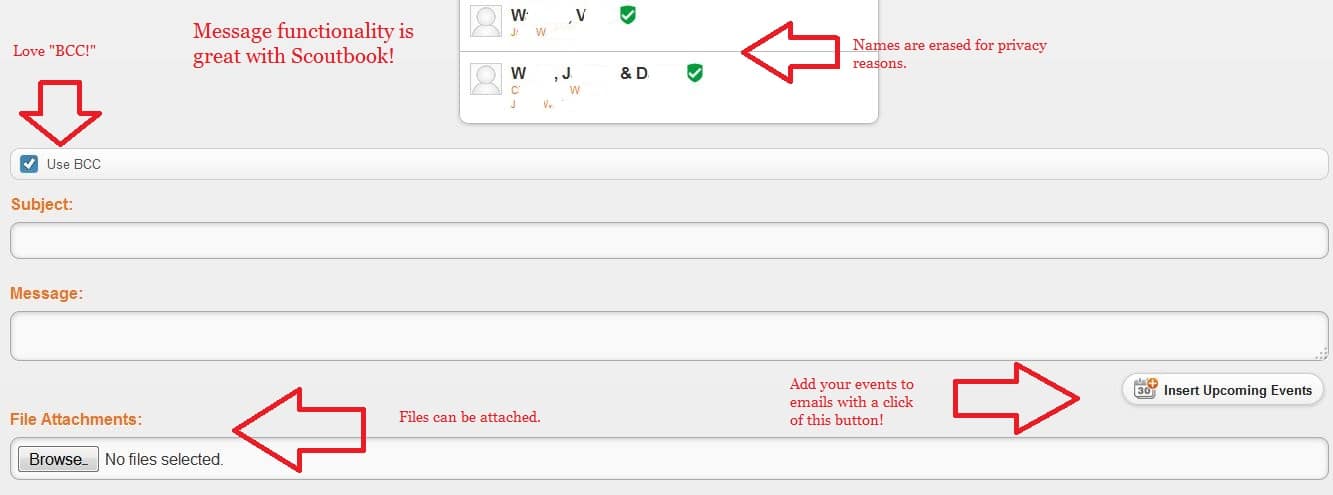
With the click of a button, you can insert your pack or den’s upcoming events into the calendar. What a great way to keep events top of mind for your parents!
At first glance, you may think that you can’t send an email just to a specific den. That’s because you’ll see the list of everyone in the pack after you select the “send a message” option on your den page. If none of the first few parents are in your den, it appears that the email will go to everyone. Simply scroll down, and you’ll see the message recipients highlighted.
Meetings and Events
I absolutely LOVE the event functionality! It makes tracking advancement so easy. Here’s what you do:
- Add your event to the appropriate calendar–pack-wide or den-specific.
- Fill in the details of the event.
- Manage advancement by selecting the achievements, electives or awards you’re going to work on at that meeting. You can even indicate which activities are supposed to be completed at home.
- After the meeting, go back into the event and mark which boys were in attendance. Then BOOM! Those advancement items are marked as completed for the boys.
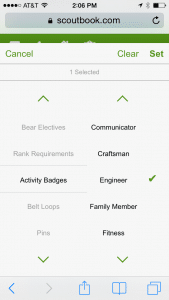
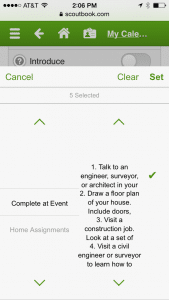
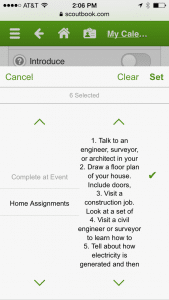
Rather than writing out your meeting plans on a separate document, simply input them directly into Scoutbook. There’s even a field for notes or agendas that can only be seen by the admins. How easy is that?
Scoutbook allows you to set multiple reminders about an event. So, I can have Scoutbook send a reminder 1 week in advance and again 1 day before an event. You can even have it remind attendees just a few hours prior to the event.
Parents will find it so simple to RSVP to events. Just click your image and select yes, no or maybe. As the event organizer, there are a few improvements that could be made to the RSVP functionality. Right now, there’s no way to indicate the number of people who will attend. For example, families are invited to our pack picnic, but there was no place to indicate that little brother or sister would be attending as well. This is on Scoutbook’s list of enhancements to make.
Although it’s great now, there are a few other minor tweaks that could be made to the event functionality. However, it is still in the beta test mode. The Scoutbook folks continue to work on it, and I’m looking forward to seeing how it evolves.
Awards
If you serve as an awards chairperson, you have a tough job! Recording which boys earned which awards and creating your shopping list isn’t easy. But Scoutbook can help.
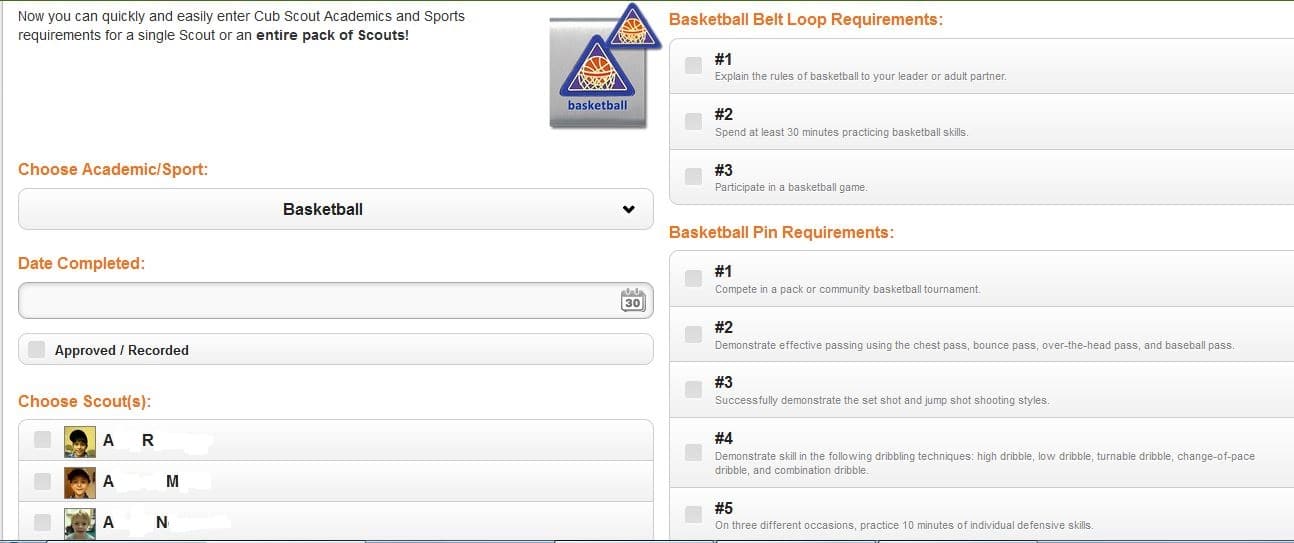
Even if you don’t use the planned advancement feature, Scoutbook has a quick entry feature that allows you to enter awards for multiple Scouts at once.
After your awards are entered and approved, they move to a “needs purchasing” list. You can check your pack’s stash of awards (we all have one!) to see if you have that belt loop already. Mark the ones you still need to purchase, and they’ll be added to a “purchase order” which you can use as a shopping list by printing and taking it to your local Scout Shop. Just remember to go back and mark those awards as having been “awarded” so that you don’t buy them again.
You know that BSA Advancement Report 34403 that you have to fill out? Click a button, and a pdf version of it will be created for you! No more filling it out by hand!
Reports
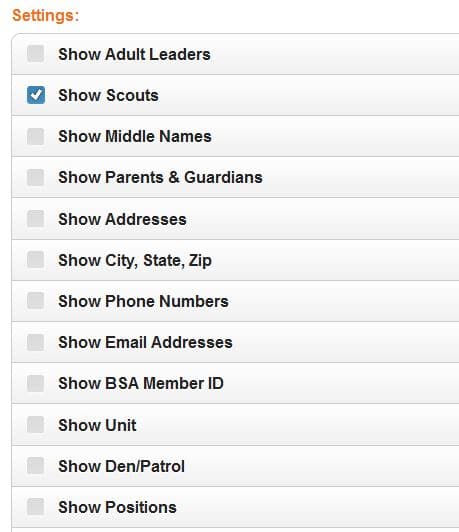
In addition to the awards reports, Scoutbook has a very cool roster builder. The beauty of that is that you select what goes on the roster. Do you need a list BSA member numbers for your group? Or what about a list of email addresses for the Bear den parents? Create the perfect roster for your needs.
Want to see which boys have uncompleted belt loops? Need to check the medical form dates for any expired forms? Want to see what percentage of the Tiger requirements your boys have finished? Use Scoutbook’s report builder! It’s still being developed, but you’ll find it very helpful already.
You can also run a leader training report to see at a glance what training your leaders is lacking. But before you run that report, sync your leaders’ training records with ScoutNET. Yep, you can keep your leaders’ Scoutbook training profile up to date with a click of a button.
Support
I have been so impressed with the support available from the folks at Scoutbook! If you need help importing your pack’s records from another system, they’ll guide you through the process or even do it for you.
Scoutbook has a very active member forum of Scouters helping Scouters. I have posted questions there, and other members of the forum have answered very quickly.
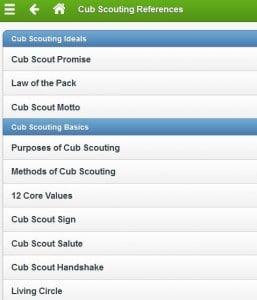
There are lots of resources within Scoutbook including links to BSA websites, lists of and links to councils and requirements for advancement & awards. This is far more than you’ll get from a Cub Scout tracking spreadsheet! 🙂
Scoutbook is such a great system! And they continue to add and refine features. I’m very pleased with our pack’s decision to begin using Scoutbook. I encourage you to click over and sign up your son!
Yours in Scouting,
Sherry
P.S. If you found this review helpful, sign up below for more Cub Scout information!
113 responses
-
My favorite feature is that parents and den leaders will always be on the same page. No more e-mails about what their son is missing because they don’t bring their books to den meetings. Such a great time saver and more effective way to get parents involved in their son’s progress.
-
This looks amazing! Someone put a lot of thought into this! Kids are so visual and I think the reports provided through this program would really help them understand better what they to do to finish rank.
-
Is this meant to be used by Scouts or by Akelas to track progress? I wouldn’t want to let a Scout near this thing; before you know it, they’d have “earned” every award offered by the BSA.
-
HA!! You’re right! For Cub Scouts, it’s intended to be for the parents. But I believe that as boys move into Boy Scouts, it’s intended for parents and Scouts.
-
-
-
Sounds like there is so much to love! I’m the Advancement Chair for our Pack and love the ability to customize a shopping list. Thanks for sharing this!
-
Can you explain what kind of customization that you’ve done with a shopping list? I do Advancements as well, and do NOT like the system we use, but don’t have anything to compare it to.
-
-
I really like how visual all the pages are. The pictures really help to see what the boys have earned and how far they are in the program.
-
I love the advancement record , printable reports and lists of awards to buy!
-
I like the percentage toward ranks. Gives the boys a first hand look at how close they really are to earning their rank.
-
I like the overall set up. Easy to enter and see what has been earned. I have another system that I’ve used for Cub Scouts – but I may go with this one for Boy Scouts.
-
I love the fact that it has mobile capabilities. I would love this for our pack. Thanks for the giveaway!
-
I LOVE the intuitiveness of Scoutbook over other online tracking systems. Our Pack was recently introduced to the other system and bought it before I could present Scoutbook, which I think would be a better fit for us. Parents aren’t using the current system, but I think they WOULD use this one as it is visually more pleasing and fulfills the need for instant images of a Scout’s achievements. The dashboard is an awesome feature. I’m using it for my individual Scout, but I wish the rest of my Pack could also enjoy the experience.
-
My experience (years of Cubmastering) is that if a parent won’t use one online tracking tool, they won’t use any online tracking tool, no matter how easy it is.
-
Leave a Reply